RTSP Streaming
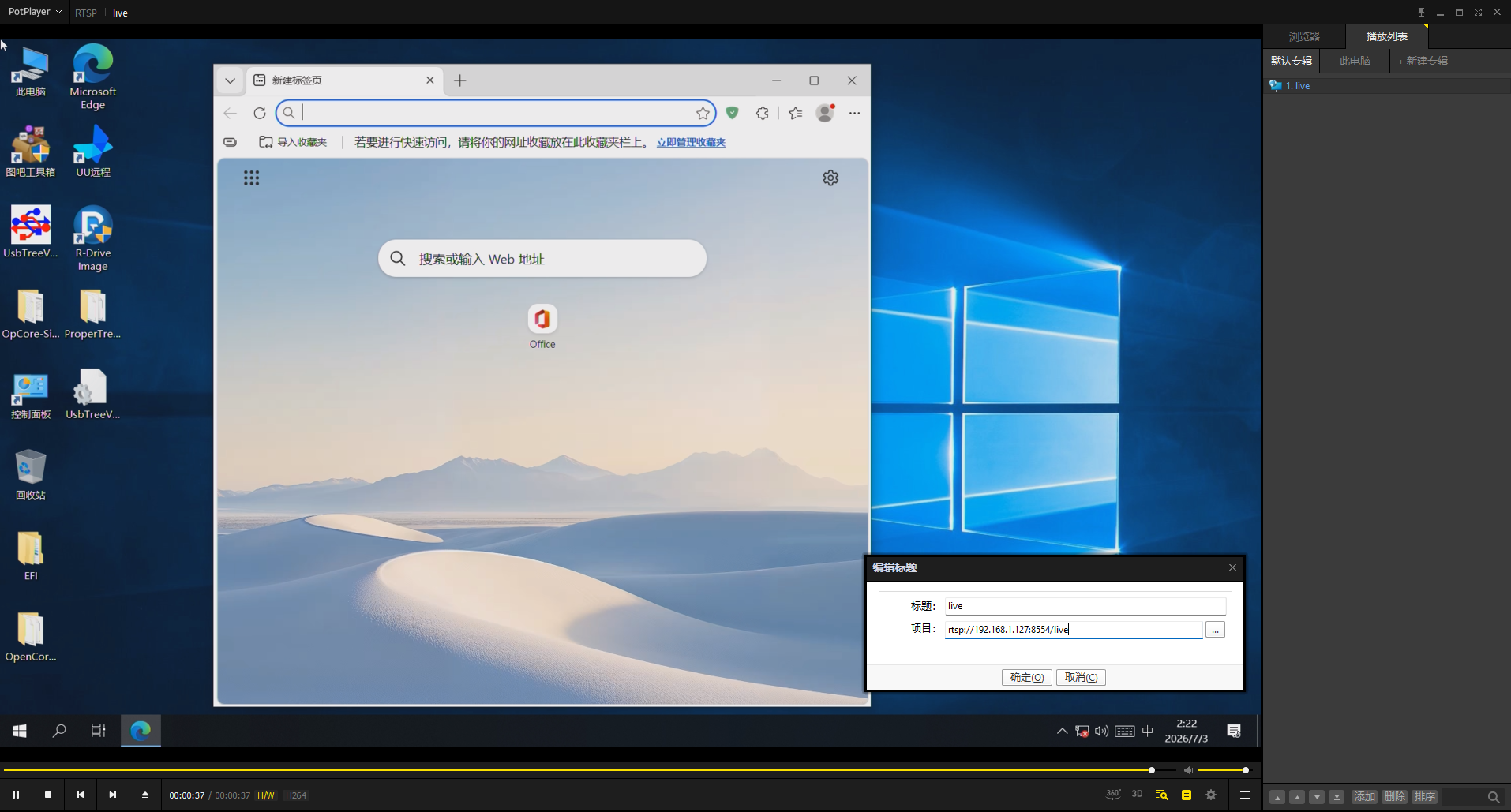
RTSP streaming publishes the current One-KVM video capture as a standard RTSP URL, so clients such as PotPlayer, VLC, and ffmpeg can pull the video stream. It is useful when you only need to watch the video, record it, or feed it into third-party monitoring or streaming tools.
RTSP output uses H.264/H.265 encoding. While RTSP is running, One-KVM locks the output to the selected codec. If RustDesk is already running, choose the same codec as RustDesk.
Configuration
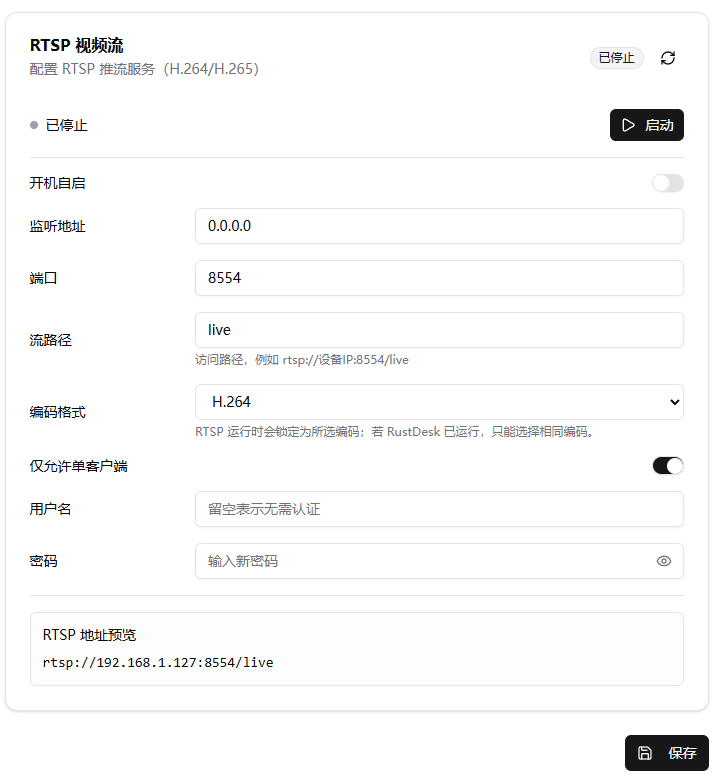
| Item | Description | Example/Default |
|---|---|---|
| Auto start | Start the RTSP service automatically after system boot | Off |
| Bind address | Local address bound by the RTSP service. 0.0.0.0 listens on all IPv4 addresses |
0.0.0.0 |
| Port | RTSP service port | 8554 |
| Stream path | Path part of the RTSP URL | live |
| Codec | RTSP output codec | H.264 |
| Allow one client only | Allow only one client to pull the stream at a time | On |
| Username | Leave empty to disable authentication | - |
| Password | Used with the username for RTSP Basic authentication | - |
Setup Steps
- Open Settings -> Extensions -> Third-party Access -> RTSP Streaming
- Set the bind address, port, stream path, and codec
- To restrict access, enter a username and password
- Click Save, then Start
- Copy the URL from RTSP URL Preview
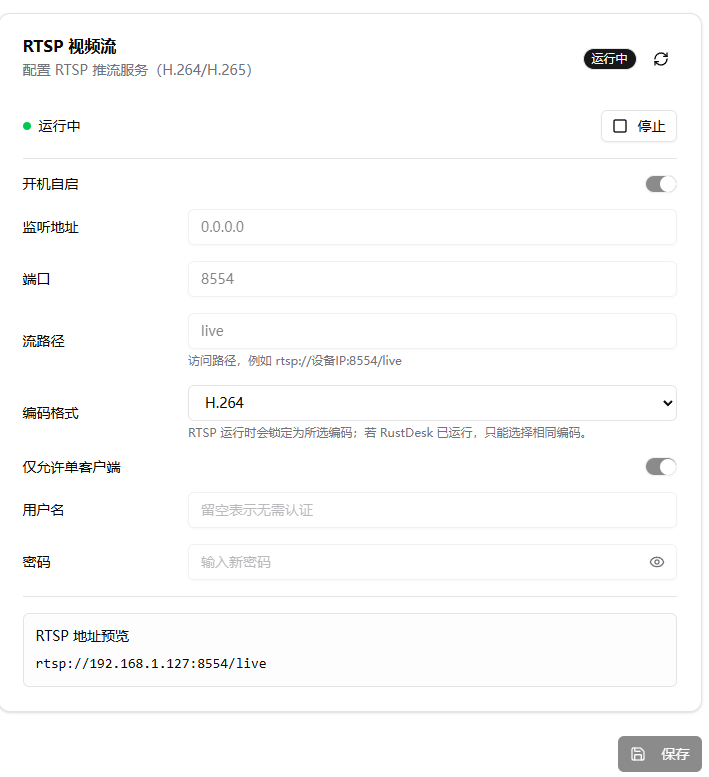
After startup, the page status changes to "Running" and the configuration fields are locked. To change the port, path, codec, or authentication settings, stop the RTSP service first, save the new config, and start it again.
Pull the Stream
On the same LAN, use the preview URL directly:
If username and password are configured, clients usually use:
Preview with ffplay:
Record with ffmpeg:
You can also add the network stream URL in PotPlayer, VLC, or similar players.