FRP NAT Traversal
FRP can expose local One-KVM services to the public internet so you can access the KVM console remotely. One-KVM includes a built-in FRPC extension that can connect to an FRPS server from the web UI using either a quick form or a full TOML config.
frpc must be installed on the system and the extension page must show it as "Available". Prepare the FRPS server address, server port, token, and remote port in advance. You can use a self-hosted FRPS server or a third-party FRP provider.
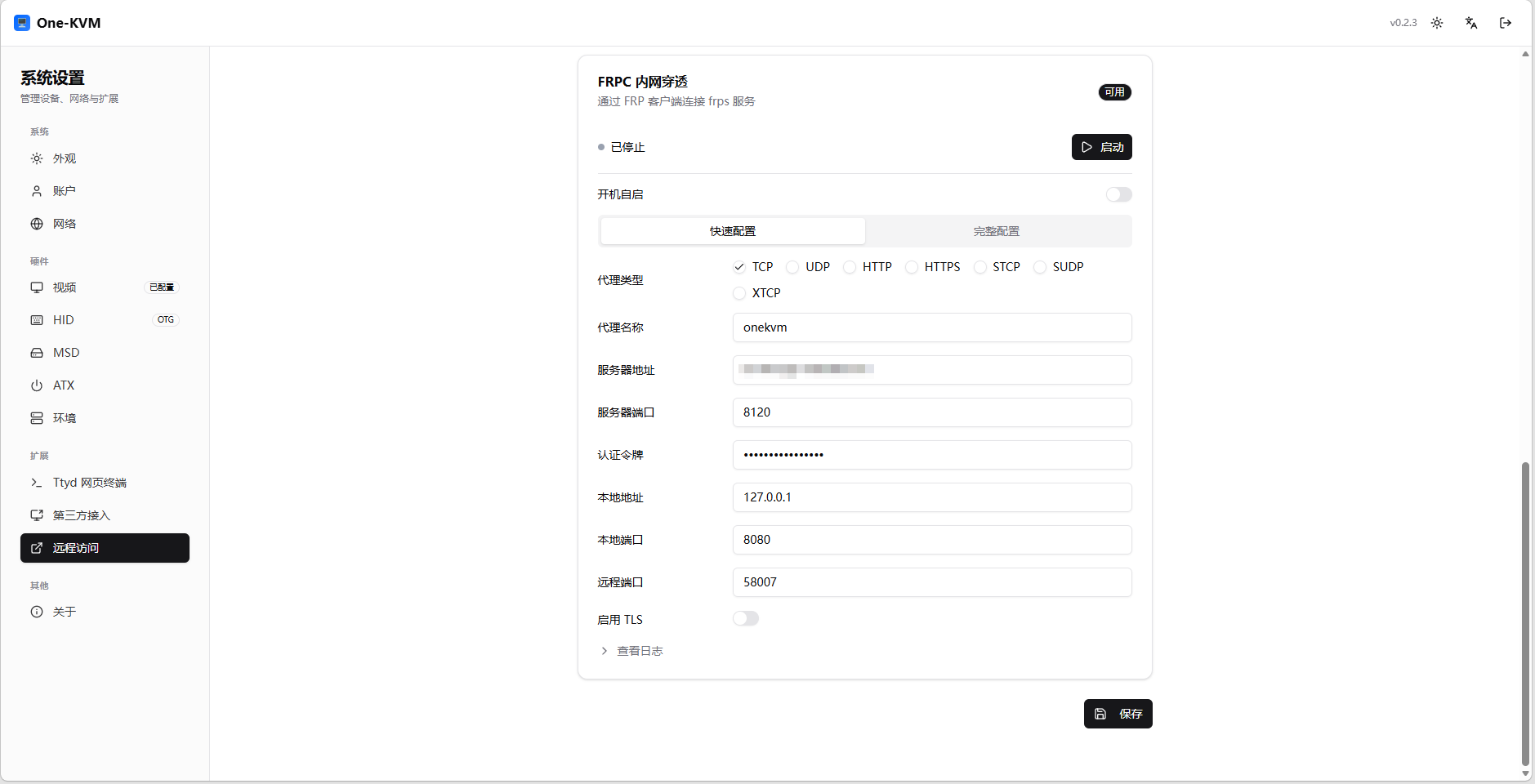
Configuration
| Item | Description | Example/Default |
|---|---|---|
| Auto start | Start FRPC automatically after system boot | Off |
| Proxy type | FRP proxy protocol. TCP is commonly used for web access | TCP |
| Proxy name | Name of this proxy entry | onekvm |
| Server address | FRPS server domain or IP, without http:// or https:// |
frp.example.com |
| Server port | FRPS listening port | 7000 |
| Token | Token configured on the FRPS server | - |
| Local address | Local One-KVM service address | 127.0.0.1 |
| Local port | One-KVM web port, usually 8080 | 8080 |
| Remote port | Public port exposed by FRPS | 58007 |
| TLS | Enable when supported by the FRPS server | Off |
Quick Config
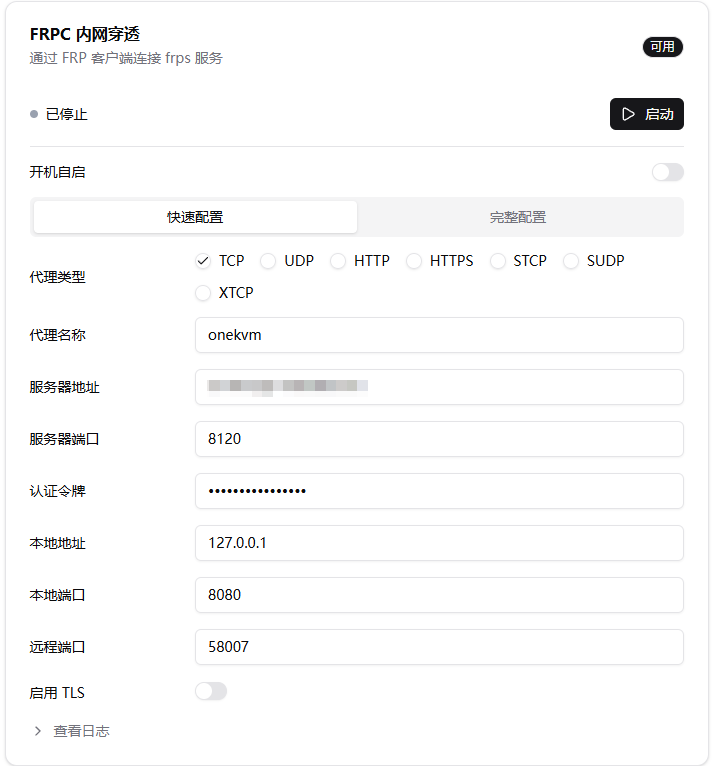
Quick config is suitable for common TCP port mapping. Open Settings -> Extensions -> Remote Access -> FRPC NAT Traversal, select Quick Config, and enter the server and port information.
To expose the One-KVM web UI, usually keep:
- Local address:
127.0.0.1 - Local port:
8080 - Proxy type:
TCP
After filling in the form, click Save, then Start.
Full Config
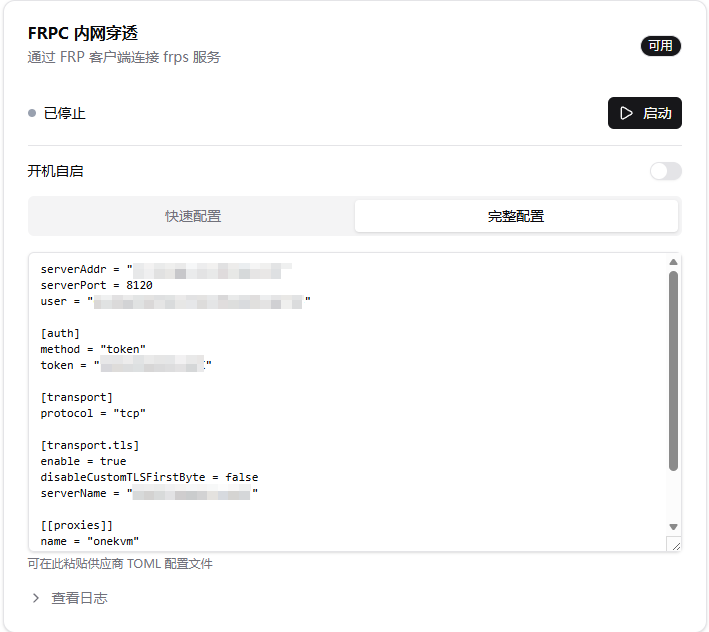
For advanced FRP usage, or when using a config exported by a third-party provider, switch to Full Config and paste the frpc.toml content directly.
Full config uses the TOML content in the text area as the FRPC startup config. This is suitable for multiple proxies, TLS, custom transports, and provider-specific templates.
Logs
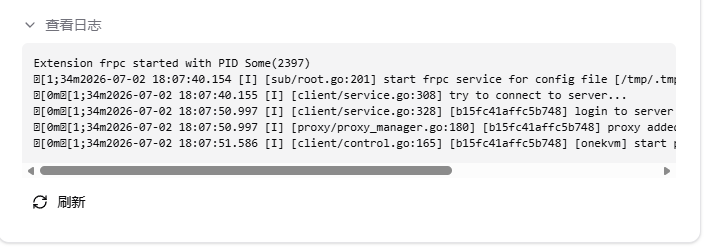
After startup, expand View Logs to check the connection status. In a normal startup, the logs should show login to the server, proxy registration, and proxy startup messages.
Remote Access
After startup succeeds, access it externally with:
If One-KVM is configured with HTTPS, or the provider gives you an HTTPS endpoint, use https:// according to the actual endpoint.
Security Recommendation
FRP exposes One-KVM to the public internet. Use a strong password and avoid using common ports that are easy to scan.