OneCloud
Hardware
Required: OneCloud device, USB HDMI capture card, USB dual-headed cable
Optional: TF card (storage expansion), TTL-to-USB adapter (debugging)
Integrated Image Deployment
Image types
- USB Burning (suffix
burn): for Amlogic USB Burning Tool. Use v2.1.3 or earlier - USB drive/SD card boot image: write directly to a USB drive or SD card
Video tutorial
See Bilibili: 夏秋BH6RRB.
Notes
During shorting for flashing, you can release after the tool recognizes the device (around 1%). Images below courtesy of 蓝蓝 from the OneCloud community.

After flashing the direct-write image, networking defaults to DHCP with hostname onecloud. The front-panel LED turns from red to green during boot. Access the device in your browser via its IP.
For subsequent flashing, hold the reset button while powering on to enter flash mode (no need to short again).
Usage
Connections
Tip
Because the Linux kernel used in the OneCloud One-KVM integrated image is relatively old, some legacy machines may not be controllable in BIOS but can still be controlled after the OS boots (for example, Windows). Newer 6.x kernels on OneCloud are unstable and prone to crashes, so this issue cannot currently be fully resolved.
If you still want to experiment, you can try the earlier 6.x kernel images (https://github.com/mofeng-git/One-KVM/releases/tag/v0.61), but they are only recommended for testing due to stability issues.
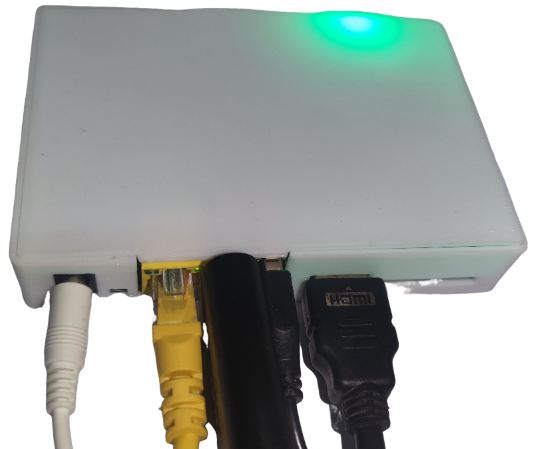
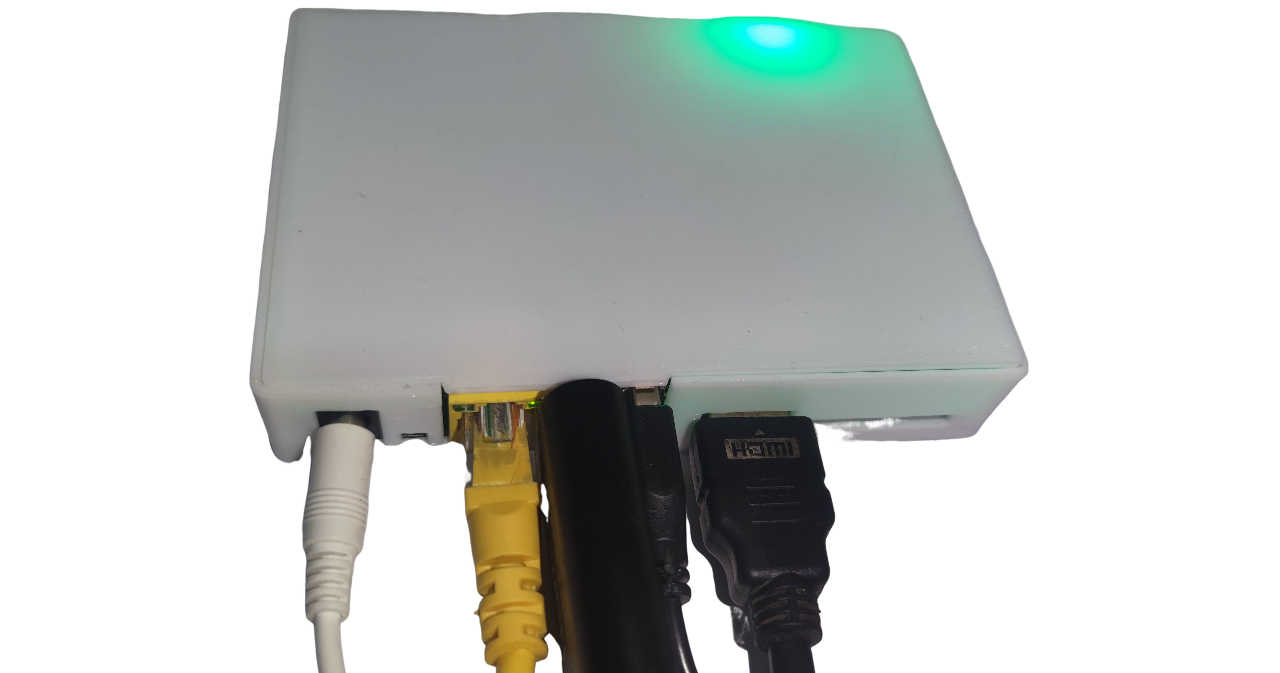
- Plug the USB HDMI capture card into the USB port near the Ethernet jack; connect HDMI from target to capture card
- Plug the dual-headed USB cable into the USB port next to the HDMI port; connect the other end to the target
- Ensure cables are secure; connect power and network
Hardware safety warning
To avoid issues such as the target failing to boot or detect devices (and in rare cases hardware damage), take one of these precautions before using a dual-headed USB cable:
Option 1: cut/remove the red 5V (VCC) wire in the USB cable so only the data lines (D+/D−) and ground remain, breaking the power path.
Option 2: insert a USB hub with its own power switch into the USB link and keep that switch off while connecting.
Some low-power targets can back-power from the KVM via the OTG port before their main power is applied, leaving them in a bad state that persists even after you power them normally.
Unless you fully understand the risks, use one of the safeguards above to protect your hardware.
Data safety reminder
Avoid hard power-offs. Cutting power while eMMC writes are in progress can corrupt data.
If you must cut power, run sync after write operations. For shutdowns/reboots, prefer poweroff or reboot so the system flushes data cleanly.
SSH
Armbian enables SSH by default. Initial credentials: root/1234. Change the default password immediately.
System upgrade warning
Do not run apt upgrade to upgrade the kernel/DTB. It may break OTG.
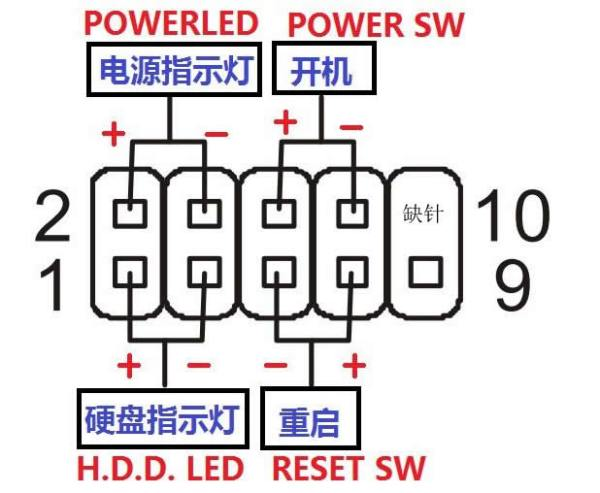
ATX Power
To use ATX power control, connect the power switch cable.
USB Endpoints
The CPU in this device provides 6 USB OTG endpoints in total, so it can emulate USB devices whose total endpoints do not exceed 6.
HDMI Loop-through Emulation
OneCloud integrated images from version 251001 and later support HDMI loop-through emulation via DRM display.
When both the USB HDMI capture card and an external display are connected, the external display will automatically show the capture card output. The performance is around 1080p@8fps.
This feature is CPU-intensive and will reduce the MJPEG frame rate in the web UI. In testing, 1080p frame rate dropped from ~50fps to ~20fps, while 720p@60fps remained unchanged.

To disable this feature and reduce CPU usage, edit /etc/kvmd/override.yaml and remove the DRM display option, then reboot: