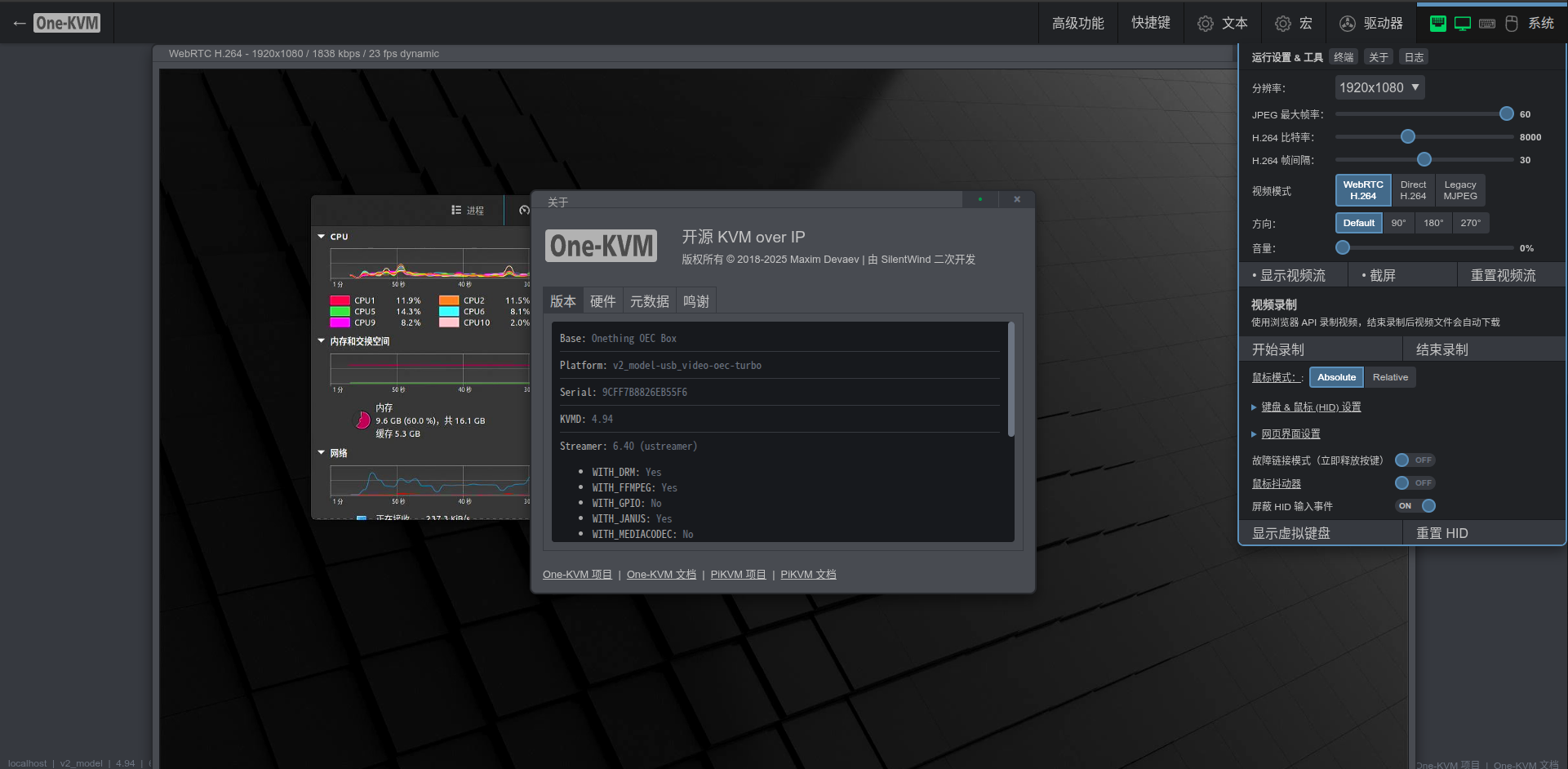
OEC TURBO Box
Hardware Overview
The OEC TURBO is powered by an RK3568 CPU, paired with 4 GB of RAM and 8 GB of internal storage. It includes a gigabit Ethernet port, one Type‑C port, one USB 3.0 port, and a built‑in SATA drive bay.
Its main advantage is that the VPU driver is open source. One-KVM provides hardware H.264 encoding and decoding support for this device, enabling a better H.264 video experience.
Integrated Image Deployment
Prepare the files
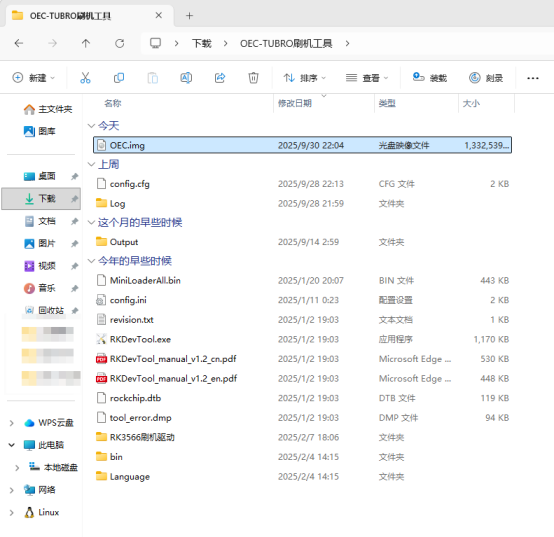
First download the OEC TURBO flashing tool and the One-KVM integrated image, then extract all related files and enter the flashing tool directory. It is recommended to rename the extracted One-KVM image to a shorter name (for example OEC.img) and place it in the flashing tool directory so that the flashing progress bar will not be hidden by an overly long file name.
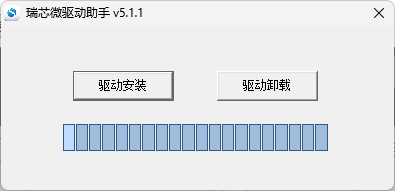
If you have never installed Rockchip drivers before, open OEC-TUBRO刷机工具\RK3566刷机驱动\DriverInstall.exe to install the driver. If you have previously installed the driver, you can skip this step.
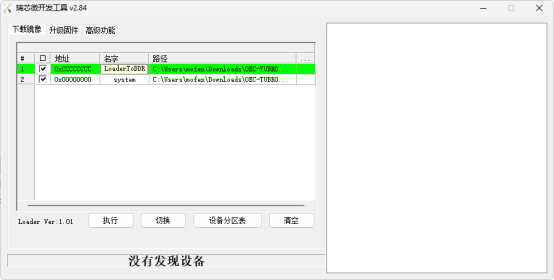
Then open RKDevTool.exe. Click the three dots next to the path fields and update the boot file (the MiniLoaderAll.bin file under the flashing tool folder) and the One-KVM system image path to match the actual paths on your system.
Start flashing
You need to open the case and short a resistor on the motherboard to enter MASKROM mode for flashing.
Disassembly steps for the OEC:
- Push the bottom cover upward to remove it.
- Inside you will see a SATA bay and a Type‑C port. Use a screwdriver to remove the four screws.
- Slide the outer shell up and remove the side cover, disconnect the SATA connector, then remove the three screws holding the SATA bracket. Flip the SATA board over, peel off the black tape protecting the ribbon cable, and carefully remove the cable. The SATA ribbon cable is thin and fragile—do not pull it hard. There is a small black latch on the left side of the connector that can be flipped up to unlock it, which allows the ribbon cable to be removed easily.
- Remove the eight screws on the inner chassis with a screwdriver, then insert a card into the gap on the left side and gently pry the inner chassis out.
- On the front side of the motherboard you will find the resistor that needs to be shorted.
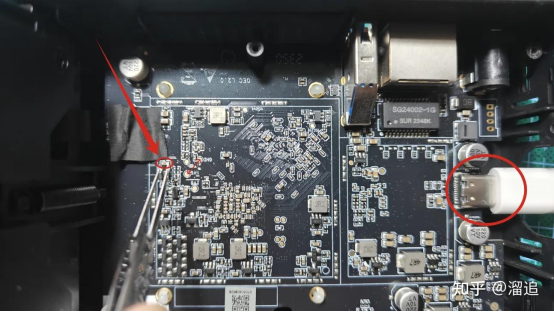
Now you can short the resistor and start flashing. First short the resistor (this has the same effect as shorting the pads mentioned in other online tutorials), then plug in the Type‑C data cable (there is no need to connect the 12 V DC power supply during flashing). After about 2 seconds, release the short. At this point the tool should detect a MASKROM device. Click the “Run” (execute) button in the tool and wait for the data to be downloaded and written.
If the newer flashing tool reports an error such as “system exceeds Flash size, download failed”, you can check the “force to write by address” option above the execute button and then flash again.
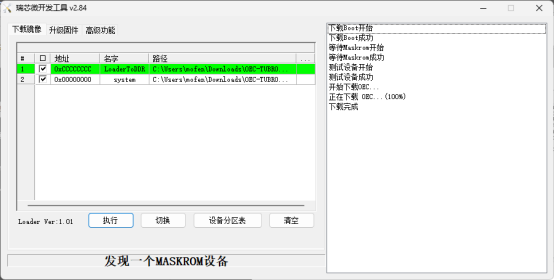
After the system has been flashed successfully, unplug the Type‑C cable, plug in the 12 V DC power supply, and you can start using the device.
SSH remote login
The Armbian system enables SSH by default. The initial SSH credentials are root / 1234.
System upgrade warning
It is not recommended to use apt upgrade to update the kernel and device tree. Doing so may cause system issues and make the OTG function unusable.
Hardware connections
The Type‑C port is the USB OTG port and should be connected to the target (controlled) machine. The USB 3.0 Type‑A port is a regular USB port and should be connected to the USB capture card.
USB endpoints
The CPU in this device provides 9 USB OTG endpoints, so it can emulate USB devices whose total endpoints do not exceed 9.
Other tips
Hardware safety warning
To avoid issues such as the target failing to boot or detect devices (and in rare cases hardware damage), take one of these precautions before using a USB cable:
Option 1: cut/remove the red 5V (VCC) wire in the USB cable so only the data lines (D+/D−) and ground remain, breaking the power path.
Option 2: insert a USB hub with its own power switch into the USB link and keep that switch off while connecting.
Some low-power targets can back-power from the KVM via the OTG port before their main power is applied, leaving them in a bad state that persists even after you power them normally.
Unless you fully understand the risks, use one of the safeguards above to protect your hardware.
Data safety reminder
Avoid hard power-offs. Cutting power while eMMC writes are in progress can corrupt data.
If you must cut power, run sync after write operations. For shutdowns/reboots, prefer poweroff or reboot so the system flushes data cleanly.
Screenshots