S905l3a Box
Hardware Notes
Warning
This One-KVM integrated image has been tested on ZTE B863AV3.2M and CM311-1a-CH. Other S905L3A boxes may be incompatible. If you hit issues, consider the Docker deployment method below.
When installing with armbian-install, the following devices are supported with these DTB names:
Integrated Image Deployment
- Write the image: Write the One-KVM image to a USB drive or TF card.
- Boot Android TV: Boot into the preinstalled Android TV system.
- Install boot APK: Gain root in Android TV and install an APK that switches boot to external media (USB/TF).
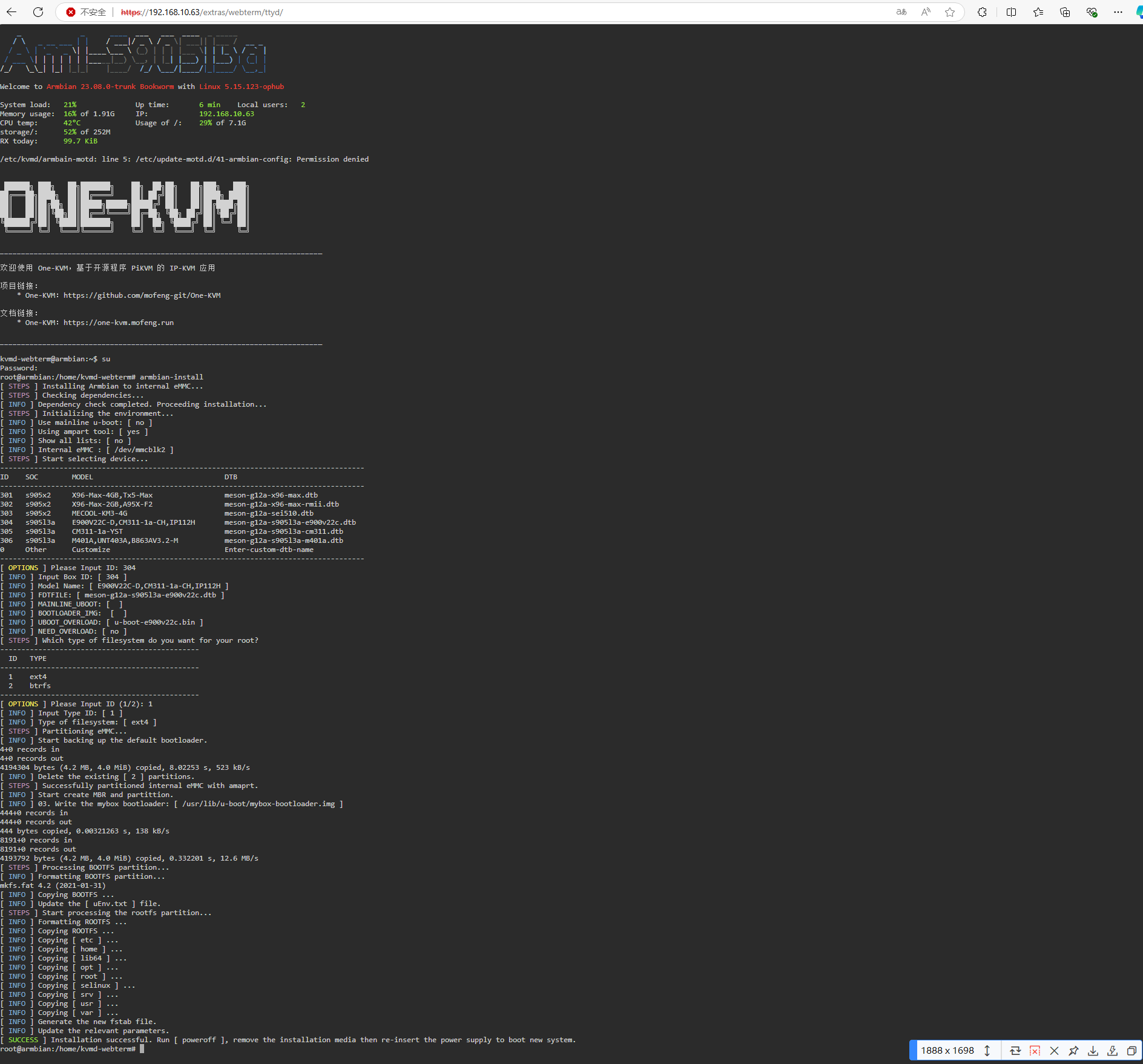
- Flash the system: Use the APK to boot from USB/TF into Armbian, then run
armbian-installand select the matching model.
Example:
Docker Deployment
If you want to deploy with Docker:
- Flash Android: Flash a rootable Android system and install the external-boot APK.
- Flash Armbian: Write a bootable Armbian image to a USB drive and connect it. In Android, switch to boot from the external drive.
- Flash eMMC: Use
armbian-installto write the Armbian system to eMMC. - Install Docker: Remove the USB drive, reboot, switch to a local mirror, and install Docker.
- Deploy One-KVM: Run the Docker image, ensure OTG is set to device mode, and add the commands to startup scripts. Enable auto-start for Docker and the container.
Commands:
- Run the kvmd container
-
Set the OTG port to device mode
-
Enable auto-start
Usage Notes
Hardware safety warning
To avoid potential risks (e.g., the target device failing to boot or recognize devices, and in rare cases hardware damage), we strongly recommend one of the following safety measures before using a USB male-to-male cable:
Option 1: Cut or remove the red 5V power wire (VCC) in the USB cable, leaving only data (D+/D-) and ground (GND) to prevent back-powering.
Option 2: Insert a USB hub with an independent power switch in the link, and keep the hub powered off when connecting.
Some low-power devices may draw power back through the USB OTG port when their main power is off, causing an abnormal state that may prevent boot even after main power is restored.
Unless you fully understand the risks, use one of the above protections to keep devices safe.
Data safety
Avoid hard power-offs. Sudden power loss during eMMC writes can cause data loss.
If you must cut power, run sync after write operations to flush data. For shutdown or reboot, use poweroff or reboot so the system can sync and shut down cleanly.